






Build Your Own Oscilloscope Lab: Projects to Sharpen Real-World Measurement Skills

Build Your Own Oscilloscope Lab: Projects to Sharpen Real-World Measurement Skills
In the age of affordable electronics and open-source hardware, you don’t need a commercial lab full of pricey equipment to become proficient at real-world measurements. With a few solid building blocks, you can assemble an oscilloscope lab that fits your budget, your curiosity, and your safety comfort level. The goal isn’t to replace a professional scope with a DIY substitute, but to develop intuition for waveforms, timing, and signal integrity—skills that transfer to every engineering, repair, or tinkering project you undertake.
In this guide, you’ll find a practical path to “build your own oscilloscope lab”—starting from foundational concepts, moving through hands-on projects, and ending with troubleshooting strategies and techniques you can apply tomorrow. Each project builds on the last, reinforcing measurement discipline, grounding practices, and interpretation of real-world signals. Whether you’re a student, a hobbyist, or a professional looking to extend your toolkit, these projects are designed to be approachable, modular, and safe.
Foundation: What an Oscilloscope Really Does
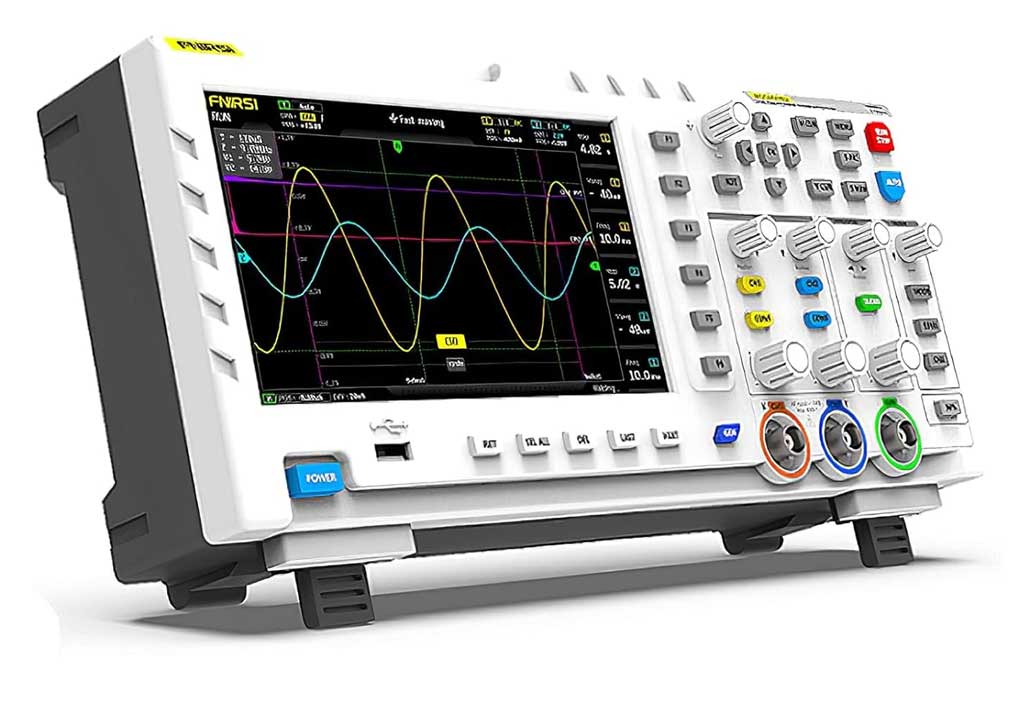
An oscilloscope is a time-domain instrument that converts electrical signals into a visual trace (usually on a screen) so you can inspect their amplitude, timing, shape, and stability. The core ideas that matter most in practice are:
- Bandwidth: the highest frequency component the instrument can reproduce accurately. If the signal contains faster edges than the scope can capture, the trace will be distorted.
- Sample rate and memory: the number of samples per second and how many samples you can store. Higher sample rates yield better time resolution; more memory allows longer captures without losing detail.
- Vertical sensitivity and accuracy: volts per division and how well the instrument preserves amplitude. Calibrating vertical scales is essential for meaningful measurements.
- Timebase (horizontal scale): how you pace the display across time. A wide range from microseconds to seconds per division is common in hobby scopes.
- Probes and grounding: the measurement tip and reference lead introduce their own resistance, capacitance, and stray inductance. Probes can color measurements, so understanding and compensating them is crucial.
In a DIY lab, you’ll internalize these concepts by building measurement paths, validating against known references, and recognizing artifacts such as noise, ringing, aliasing, and ground loops. The aim is not perfection at the bench but reliable, repeatable, and insightful measurements you can trust for everyday debugging and learning.
Setting Up Your Lab Space: Safety, Grounding, and Organization
Your lab setup matters as much as the instruments themselves. A clean, safe, and well-organized workspace makes measurements safer and more accurate. Here are practical starting points:
- Dedicated work surface: a non-conductive mat or rubber-backed desk mat helps reduce stray capacitance and protects against accidental shorts.
- Grounding and earth reference: ensure your bench is grounded and avoid floating measurements when you’re probing powered circuits. If you’re concerned about ground loops, consider using isolation techniques or a differential probe for sensitive measurements.
- Safe voltage envelopes: know the voltage ranges you’ll touch. Start at low voltages and use attenuators and protective probes when exploring higher potentials.
- Organization: label probes, cables, and test points. Keep a “calibration” note nearby for quick reference to probe compensation and channel gains.
- Power management: use a common power supply for your MCU, logic analyzer, and generator, but avoid cross-powering signals without proper isolation unless you understand the ground references.
Line breaks are useful here to separate ideas: always pause between topics to reflect on the potential signal paths you’ll actually measure, and be mindful of where your ground clip is connected relative to the point you want to investigate.
Essential Tools and Components for a Real-World DIY Oscilloscope Lab
Beyond a basic oscilloscope, a well-rounded lab includes instruments and helpers that expand what you can measure and how confidently you can interpret it. Here’s a practical starter kit:
- A basic oscilloscope (commercial or DIY): you’ll need at least one channel to begin with, and a second channel is very helpful for differential measurements or comparing signals.
- Probe set: 10x passive probes are standard. A few banana-to-hook adapters or ground spring tips help if you’re probing crowded boards.
- A signal generator or function generator: useful for injecting known waveforms for calibration and debugging.
- A stable DC power supply with adjustable rails: many measurements require a known reference voltage.
- A multimeter with accuracy specifications aligned to your needs: DC and AC measurements help verify signal levels and validates your scope’s readings.
- Breadboard, perfboard, or a small prototype PCB: for assembling test circuits, attenuators, or simple amplifier stages.
- Logic analyzer or microcontroller setup (e.g., an ESP32 or ARM MCU): to capture digital timing and to serve as a companion to your oscilloscope in digital-measurement tasks.
- Attenuators, attenuator probes, and passive components: resistors, small capacitors, ferrite beads for noise suppression.
- Nice-to-have: a small audio or RF filter kit, coax cables with proper shielding, and a handheld thermal camera or infrared thermometer for thermal considerations when probing power electronics.
As you grow, you’ll start to see where you want more capability. A portable, USB-powered scope can be a flexible addition, while a dedicated bench scope with higher bandwidth and deeper memory might be a future upgrade. The beauty of a DIY path is that you can iteratively add capability as your needs and budget evolve.
Project 1: Build a Basic DIY Scope (Low-Cost, High-Learning)
This project focuses on the core disciplines: building a simple, bounded measurement path, understanding the probe’s influence, and learning how to interpret a trace. You’ll create a minimal oscilloscope using an affordable microcontroller with an ADC and a small display. The goal isn’t professional-grade performance at first, but a functional platform you can grow.
What you’ll learn
- Sampling basics: how often you sample affects the highest frequency you can resolve (Nyquist) and how much aliasing you might see.
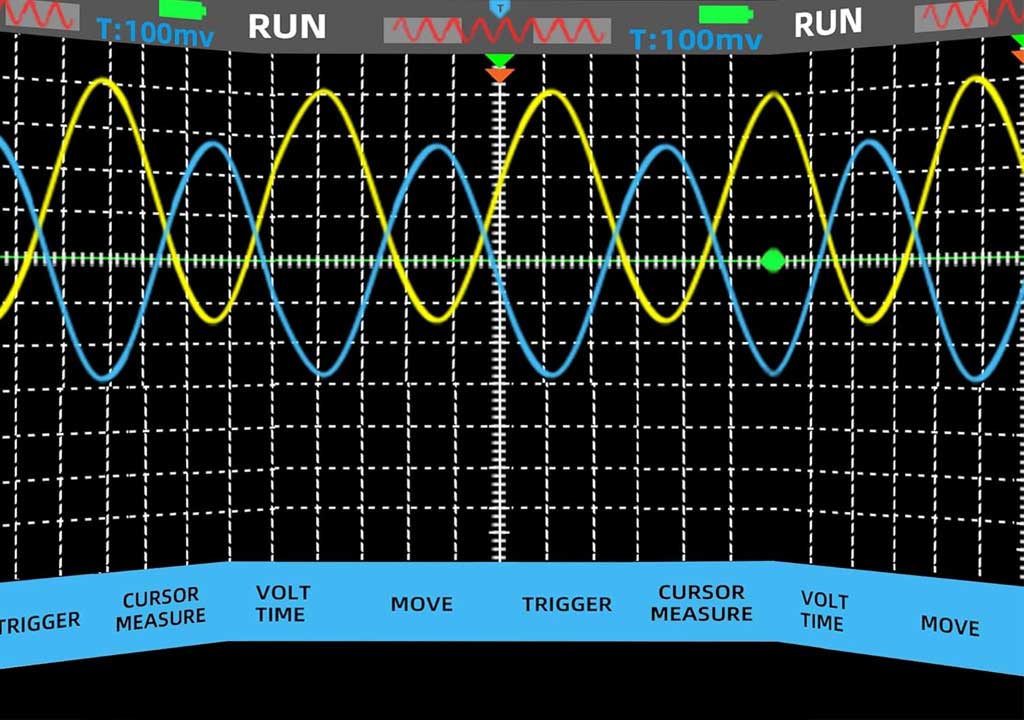
- Vertical and horizontal scaling: calibrating the display so that one division equals a meaningful voltage and time interval.
- Probe compensation: recognizing and adjusting for probe capacitance that can distort square waves or edge transitions.
- Display rendering: mapping raw ADC values to a readable waveform on an LCD or OLED screen.
Bill of materials (roughly minimal)
- Microcontroller with ADC and sufficient RAM (e.g., a 32-bit MCU with at least two 12-bit ADC channels).
- A small color LCD or OLED display (2.4"–3.5" is common).
- Two channel inputs with 1 M? input impedance or similar (to match common test signals).
- Two 10x probes or simple high-impedance probes.
- A simple clock or crystal for precise timing references (or rely on MCU internal timing).
- A basic USB power supply or battery pack for a portable setup.
High-level steps
- Design a simple front-end: 1 V/div suggested as a starting point, with an adjustable vertical gain per channel.
- Set up the ADC sampling loop. Start with a modest sample rate (e.g., 100 kS/s per channel) and gradually raise it as your code and memory allow.
- Implement a basic trigger (edge-based) so you can stabilize repeating waveforms rather than watching random noise.
- Create a basic waveform display: plot a scrolling trace, implement persistence intensity to help with noisy signals.
- Calibrate using a known reference signal (for example, a clean clock or a calibrated function generator) and adjust your vertical scale for accurate amplitude readings.
- Test with a few real-world signals: a square wave from a clock, a sine wave from a signal generator, and a small audio signal from a speaker input or headphone jack.
Tips and cautions
- Start with low voltages. Use a voltage divider or attenuation if you need to probe higher voltages.
- Be mindful of ground leads. A long ground clip can introduce significant inductance and create misleading ringing; use short ground connections or a ground spring if available.
- Document calibration changes so you know how the instrument behaves as you incrementally upgrade components.
By the end, you’ll have a functioning baseline oscilloscope and a better understanding of how signal quality is shaped by the measurement chain. You’ll also have a practical appreciation for the limits of your DIY rig and a plan for upgrades, such as adding more memory, improving the display, or integrating a second channel for differential measurements.
Project 2: Probes and Grounding: Differential Probes and Ground Loops
One of the trickiest parts of real-world measurement is getting accurate data when ground references aren’t identical to your signal source. Ground loops, common-mode voltages, and probe capacitance can all color what you see on the screen. Project 2 helps you tackle these realities through two practical approaches: better probes and smart grounding.
What you’ll explore
- Ground loops: how shared ground paths can create spurious signals that masquerade as real waveform features.
- Differential measurements: measuring the difference between two points rather than relative to a common ground.
- Probe compensation: matching the probe’s characteristics to your oscilloscope input so that fast edges aren’t smeared.
- Impedance considerations: why a probe’s impedance matters and how to minimize loading the circuit under test.
Simple differential probe concept
To get started without specialized hardware, you can build a crude differential setup using two channels of your DIY scope and a rail-to-rail instrumentation amplifier or an op-amp differential amplifier stage. The two inputs connect to the two measurement points, and the amplifier outputs the amplified difference. You’ll still want to manage common-mode voltage limits and ensure the input range stays within the ADC’s capabilities.
Grounding strategies
- Use a common ground reference for all test equipment to avoid floating references that introduce noise.
- Keep probe grounds short and direct; avoid long loops, especially around high-frequency or high-current paths.
- When possible, isolate sensitive measurements using an instrumentation amplifier with high common-mode rejection rather than relying solely on a scope’s channels.
Measurement practice
- Probe a known signal with two probes tied to the same node and then measure across a resistor to verify differential behavior.
- Try capturing a small hardware PWM or switching regulator waveform, where ground loops often show up as hum or drift.
Outcome: With careful differential probing and disciplined grounding, you’ll start to distinguish between the signal you want to measure and the artifacts introduced by your measurement chain. This is a crucial skill for real-world electronics work, especially when dealing with power electronics, motor control, or any design with multiple ground paths.
Project 3: Spectrum Insight: A Simple FFT-Based Spectrum Analyzer
Frequency-domain thinking is a powerful partner to time-domain measurements. In this project, you’ll extend your lab by adding an FFT-based spectrum analysis capability, either in your DIY scope or as a companion tool on a microcontroller, an SBC (single-board computer like a Raspberry Pi), or a small dedicated device. The goal is to visualize the frequency content of signals and learn to identify harmonics, noise floors, and transient frequency components.
What you’ll implement
- A fast Fourier transform pipeline on your chosen platform to transform time-domain data into magnitude vs. frequency.
- A user-friendly display or console output of the spectrum, with peak-hold information and a basic noise floor estimate.
- Windowing techniques (e.g., Hann or Hamming windows) to reduce spectral leakage.
- Resolution bandwidth and sweep considerations: how sample rate, record length, and windowing choices affect the frequency axis.
Practical path
- Collect a block of time-domain samples from your ADC with two or more channels if desired.
- Apply a window function to the block to prepare for FFT.
- Compute the FFT and magnitude spectrum; map bin indices to actual frequencies based on your sample rate and FFT length.
- Display the spectrum in a readable form, and compare with a known signal (like a sine wave at a known frequency) to verify accuracy.
- Test with broadband noise and a simple square wave to observe harmonics and spectral content.
Why this matters in real life
- Power electronics diagnostics: identify switching frequencies and their harmonics in a supply or motor drive.
- Communication signals: observe carrier, sidebands, and noise floors in radio or digital communication circuits.
- Audio electronics: reveal tonal content and residual harmonics in audio paths or synthesizers.
Note: FFT-based analysis demands careful sampling discipline. Ensure your sample rate is sufficient for the frequencies of interest, and be mindful of aliasing. If needed, introduce a simple anti-aliasing filter before data capture. The payoff is a much richer understanding of how a signal behaves across the spectrum, not just in the time domain.
Project 4: Data Logger and Remote Acquisition
Many real-world tasks involve capturing data over longer periods or in environments where you can’t constantly watch a screen. A data logger powers up your lab by letting you collect waveforms, logging events, and even integrating with a network or microcontroller to enable remote access. This project will give you a portable, autonomous measurement setup that complements your oscilloscope.
What you’ll build
- A microcontroller-based data logger with SD card storage or flash memory, capable of sampling at modest rates (for example, a few kS/s per channel) over many minutes or hours.
- A simple user interface: a few buttons or a tiny display to configure sampling rate, duration, and channels.
- A connector or wireless link to retrieve data later, either via USB or a local network (e.g., Wi-Fi or Bluetooth, depending on your MCU).
- A basic post-processing pipeline: convert raw ADC values to voltage, apply a calibration factor, and export a CSV-friendly file for analysis on a PC.
Why loggers help in real life
- Power supply ripple and noise: capture long samples to see slow changes, repeating events, or intermittently triggered disturbances.
- Thermal or environmental effects: monitor how voltage rails drift with temperature across a lab day.
- Runtime diagnostics: track event timing in embedded systems, such as task switching or PWM duty-cycle variations over time.
Implementation tips
- Put a modest anti-aliasing filter in front of the ADC to reduce imaging of out-of-band content.
- Use a robust file format (CSV or JSON lines) with timestamps so you can correlate samples with real-world events.
- Ensure power stability for the logger itself; a small, dedicated supply reduces the risk of data corruption during power hiccups.
Outcome: A portable, repeatable data collection workflow that complements real-time oscilloscope measurements, making your lab capable of analyzing trends, not just snapshots.
Project 5: Building a Small Impedance/Network Analyzer Concept
Impedance is central to how circuits interact with their surroundings. A full-fledged impedance analyzer can be expensive, but you can prototype a basic, low-cost version that helps you understand how impedance changes with frequency in simple RC networks or small passive filters. This project teaches you to measure magnitude and phase relative to a known reference, and it builds a bridge between time-domain and frequency-domain thinking.
What you’ll measure
- Reactance and resistance over a limited frequency range using a sweep or stepped frequency approach.
- Phase relationships between current and voltage signals, using a pair of synchronized channels.
- How parasitics (capacitance, inductance) affect the measurement, especially at higher frequencies.
Approach (low-budget)
- Connect a known reference source and a test network to measure its response.
- Use your signal generator to inject a swept sine or a set of stepped frequencies within your scope’s bandwidth.
- Capture input and output with two channels, and compute the transfer function (output/input) in software or on the host computer.
- Plot magnitude and phase across frequency to infer the network’s impedance characteristics.
Note: This is a simplified approach suitable for learning. For high-frequency work, you’ll need accurate calibration of cables, connectors, and a more sophisticated method to extract impedance accurately, including considerations for probe impedance and measurement timing.
Practical Measurement Techniques: Real-World Scenarios
When you’re chasing practical skills, a handful of measurement patterns consistently show up in the wild. Here are common scenarios and how to approach them with your lab:
- Debugging a PWM motor driver: capture the switching waveform and the control signal side-by-side to verify timing relationships; watch for glitches that indicate timing jitter or control loop instability.
- Power supply rail inspection: measure ripple on the 12V/5V rails under load, correlated with load changes and regulator frequency.
- MOSFET switching noise: observe the drain-source waveform and its relation to gate drive, looking for ringing and overshoot that indicate layout or parasitics.
- USB or communication line checks: inspect signal integrity on differential pairs (e.g., D+ and D- for USB) to identify attenuation, jitter, or missing transitions.
- Audio and analog signal paths: examine bandwidth, phase, and distortion by comparing input and output signals across the chain.
Practice tips
- Be deliberate about the measurement path: where you place probes, how you connect grounds, and what you’re trying to discern in the trace.
- Document assumptions: calculate the expected voltage levels, timing, and frequency content before you measure, then compare with your results.
- Keep a lab notebook or digital log: note instrument settings, environmental conditions, and any calibration steps you performed.
Calibration and Validation: Keeping Your Lab Honest
No measurement system is perfect forever. Calibration helps you correct systematic errors and know when to question a measurement. Here’s a realistic, actionable calibration routine you can follow as you implement the projects above.
- Vertical scale calibration: connect a precision reference signal (a known sine or square wave with exact amplitude) and adjust your display scale so that the measured peak-to-peak voltage matches the known value. Repeat for both channels if you have two.
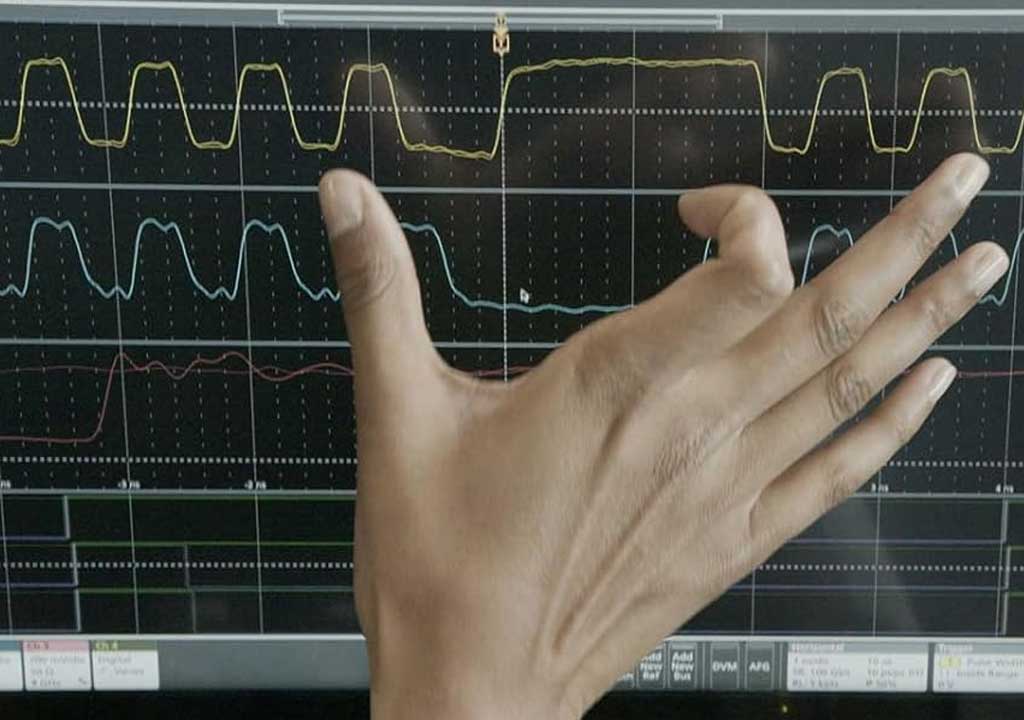
- Probe compensation: use a precise square wave reference (often provided by a signal generator). Adjust the compensation screw on the probe so the trace is crisp at both fast rising edges and slower regions. An overcompensated probe shows overshoot; undercompensation shows rounded corners.
- Timebase calibration: compare a known timing reference (like a periodic clock or a calibrated generator) with the horizontal divisions on the display. Fine-tune the timebase to align divisions with the reference period.
- Frequency response sanity check: for the spectrum project, use a known sine with a harmonically simple spectrum to ensure your FFT path isn’t introducing artifacts or mis-placing bins.
- DC offset checks: verify zero-offset behavior by measuring a true DC source with a known value, ensuring your vertical and offset calibrations are consistent across channels and ranges.
Validation is about repeatable measurements. After calibration, perform a small set of repeatable tests and compare results across days or different bench setups. If results drift, revisit grounding, probes, and firmware changes that might have introduced timing or amplitude variability.
Safety and Best Practices: Protect Yourself and Your Equipment
Working with electronics is safer when you follow good practices. A few reminders help you avoid accidents and equipment damage:
- Always power down devices before connecting or disconnecting probes to avoid accidental shorts.
- Start with low voltages and use attenuators or resistive dividers for higher voltages. Never place a test lead on a live power line without proper isolation.
- For high-frequency or high-power domains, consider isolation techniques or differential probing to prevent ground loops and reduce risk to both you and your equipment.
- Use eye protection if you’re dealing with large capacitors or circuits that may produce unexpectedly high voltage spikes during probing.
- Label and store equipment in a way that reduces the chance of mix-ups between high- and low-voltage domains.
Safety isn’t a barrier to learning; it’s a foundation that makes extended experimentation possible. A careful approach yields more confidence and better data in the long run.
Next Steps: Growing Your Oscilloscope Lab
After you complete the foundational projects, you’ll likely want to expand your lab’s capabilities. Consider these incremental upgrades, guided by your interests and the signals you care about most:
- Enhance bandwidth and sampling: upgrade to a higher-speed MCU or add an auxiliary ADC with more channels to capture faster edges and more complex waveforms.
- Improve display and interface: wire up a larger LCD, use a web interface on a small SBC, or implement a PC-based host application for richer visualization and data export.
- Integrate more probes and accessories: differential probes, current clamps, RF probes, and specialized test fixtures for under-board testing.
- Automate calibration: write scripts or firmware routines that perform self-checks and log calibration data for quick recovery after updates.
- Expand measurement repertoire: add a non-contact temperature sensor, a fast logic analyzer, or a low-frequency impedance analyzer for broader coverage of systems.
Remember, the best lab grows with you. Each addition should help you see a broader range of signals, reduce guesswork, and reinforce the habit of turning measurements into meaningful insights.
Putting It All Together: A Sample Roadmap
If you’re starting today, here’s a lightweight, achievable roadmap that keeps momentum without overwhelming you:
- Week 1–2: Set up your workspace, gather a basic scope and probes, and complete Project 1 (DIY scope). Focus on understanding probe compensation and simple triggering.
- Week 3–4: Tackle Project 2. Build a simple differential measurement pathway and practice clean grounding. Create a checklist for good probing habits.
- Week 5–6: Move to Project 3. Add FFT capability and compare time-domain and frequency-domain views for a few reference signals.
- Week 7–8: Add Project 4 (data logging) to capture longer-term trends and correlate with environmental factors or user events.
- Week 9–10: Explore Project 5 (impedance/network ideas) as a foundational concept, perfect for understanding how electronics interact with their surroundings.
From there, you can branch into more specialized areas that match your work or hobby: RF measurements, power electronics debugging, automotive sensor interfaces, or embedded controller analysis. The key is to keep measurements purposeful, repeatable, and well-documented.
Conclusion: Your Real-World Measurement Lab, On Your Terms
Building your own oscilloscope lab is more than assembling parts; it’s about cultivating a disciplined measurement mindset. You’ll learn to question what each reading means, how the measurement chain shapes the result, and what adjustments you need to make to get closer to the truth of the signal under study. The projects outlined here are designed to be approachable, steadily challenging, and deeply practical—a bridge from classroom theory to real-world engineering intuition.
With a solid foundation, a flexible toolkit, and a clear approach to calibration and safety, you can unlock a world of insight from signals big and small. As you grow, your DIY lab will become a trusted partner in every repair, project, or invention you undertake. And because you’re building it yourself, you’ll understand its strengths and limits in a way that no off-the-shelf box can replace. Ready to start your oscilloscope lab journey? Gather your gear, set up a clean workspace, pick a project, and begin turning signals into understanding.
LIKED THIS ARTICLE? SHARE IT: