






Mastering Oscilloscope Controls: Timebase, Volts/Div, and Triggering for Beginners

Mastering Oscilloscope Controls: Timebase, Volts/Div, and Triggering for Beginners
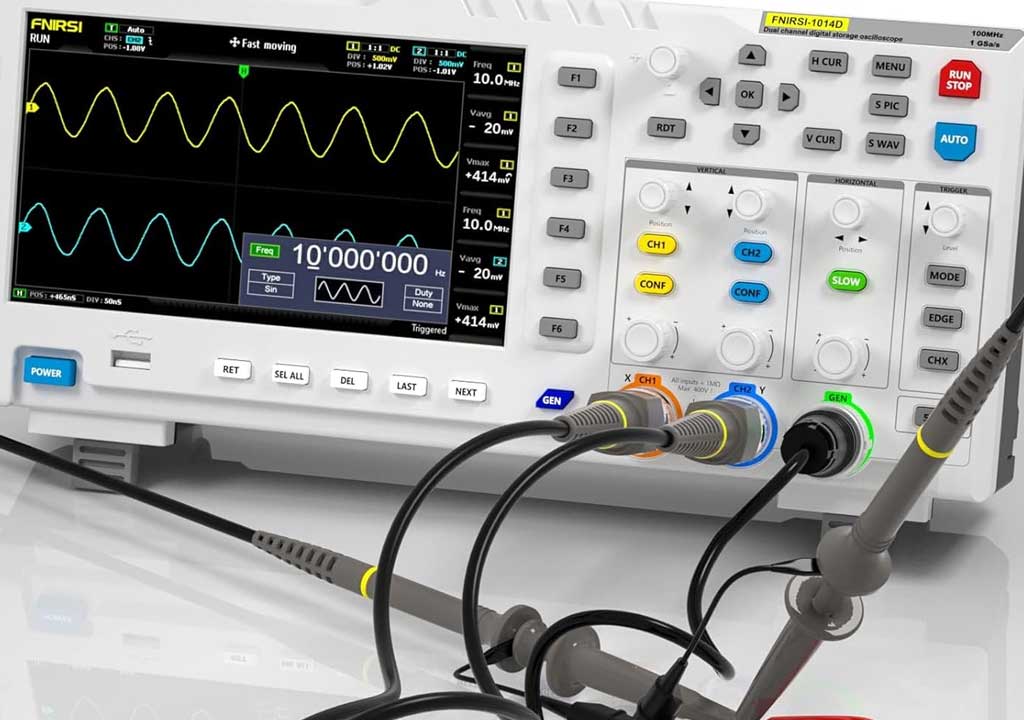
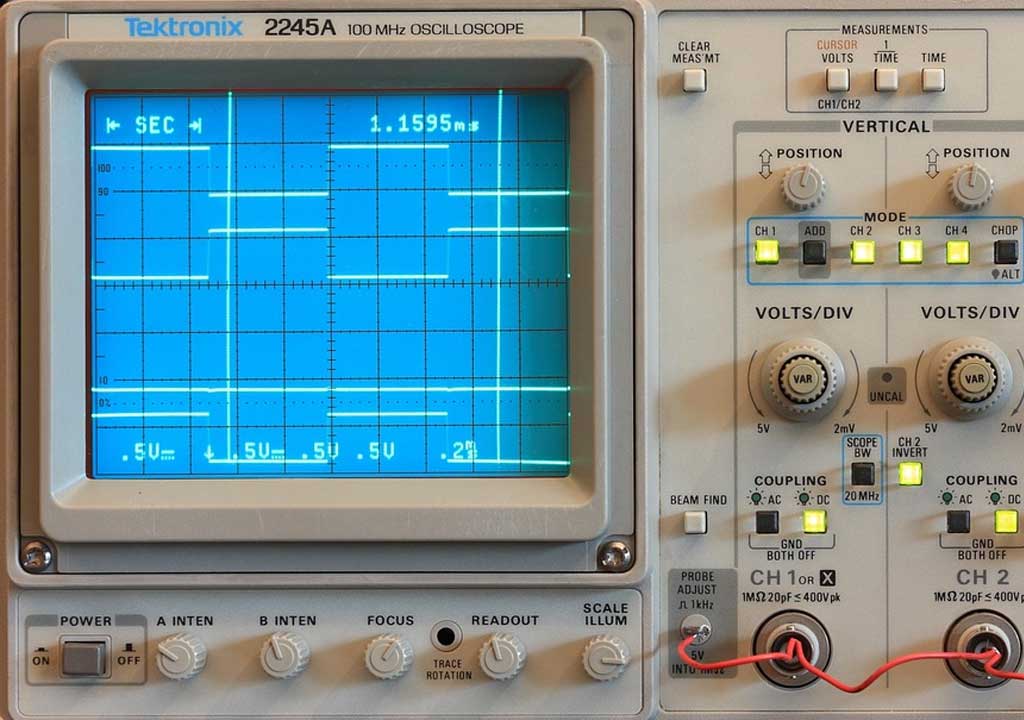
Oscilloscopes are the workhorses of electronics troubleshooting and signal analysis. They translate complex electrical activity into a visual waveform that you can inspect, measure, and interpret. For beginners, three core controls determine almost every aspect of what you see: timebase (how the horizontal axis moves through time), volts/div (how tall the waveform appears on the screen), and triggering (how the waveform is stabilized on the display). Master these, and you’ve unlocked a powerful toolkit for understanding signals—from simple dc levels to fast PWM, audio, and radio frequency waveforms. In this guide, we’ll break down each control in plain language, show you how to set them for common signals, and offer practical tips to avoid frustrating surprises.
1. Understanding the Timebase: How to Stabilize Waveforms Over Time
The timebase, sometimes labeled as horizontal scale or time/div (time per division), controls how much time each horizontal division on the screen represents. Most scopes have a calibrated grid with vertical divisions (usually 8 or 10 across the screen). The timebase setting multiplies by the number of divisions visible to give you the total time window shown. For example, a 1 ms/div setting on an 8-division screen gives you an 8 ms view of the signal from left to right. If you switch to 10 µs/div, you’ll see 8 × 10 µs = 80 µs across the screen—a much tighter window that reveals faster activity.
Why timebase matters is simple: it determines how you perceive the timing relationships in your signal. A too-slow timebase can smear fast edges into a blur, while a too-fast timebase can cause your waveform to drift off-screen or appear as a tiny blip. The trick is choosing a window that captures the feature you care about, with enough horizontal resolution to resolve timing events. Here are practical steps for common scenarios:
- Capturing a 60 Hz mains waveform: Start with 5–10 ms/div to display several cycles. If you can see a few cycles clearly, you’ll be able to measure period and phase relationships.
- Measuring a 1 kHz digital waveform (square wave): Try 100 µs/div to 200 µs/div to clearly show rising and falling edges, while keeping multiple cycles on screen for stability.
- Investigating a fast transient or pulse train (microseconds to nanoseconds): Switch to 1 µs/div or faster. You may need a specialized high-bandwidth probe and a scope with adequate sample rate to avoid aliasing.
Two related concepts to keep in mind are sweep rate and persistence. Some scopes offer a “sweep” mode or a fast/slow sweep to redraw the waveform as it changes. Persistence (or long-persistence modes) helps you view irregular or infrequent events by keeping traces on the screen longer. When you’re learning, use normal or auto triggering with a stable timebase so you’re not overwhelmed by flicker. As you gain experience, experiment with longer persistence to catch sporadic glitches, but be prepared to adjust the triggering so a single glitch doesn’t smear the entire display.
Practical exercise to build intuition: connect a 1 kHz sine wave into Channel 1. Start with a timebase of 1 ms/div, then gradually reduce to 500 µs/div, 200 µs/div, and 50 µs/div. Observe how the waveform changes: edges become sharper and the sinusoid reveals more cycles on screen. When the waveform becomes hard to read, pause and re-center by adjusting the horizontal offset. If you’re seeing aliasing or a jagged appearance at very fast settings, verify the scope’s sampling rate and probe bandwidth, and consider whether you actually need that fast a timebase for your signal.
2. Volts/Div: Controlling Amplitude, Sensitivity, and Signal Integrity
The volts-per-division control, sometimes called vertical scale or sensitivity, determines how tall the waveform appears on the screen. Each vertical division represents a certain voltage, such as 1 V, 500 mV, or 2 V, depending on the setting. Combined with the number of divisions the waveform spans, volts/div tells you the overall peak-to-peak amplitude you can visualize and measure. For example, with 8 divisions on the screen and a 1 V/div setting, an 8 Vpp signal would fill the screen; a 2 V/div setting would require a 16 Vpp signal to reach the top.
Important sub-concepts to understand here include probe attenuation, input impedance, and coupling. Let’s tackle them one by one:
- Probe attenuation: Oscilloscope probes commonly come in 1x, 10x, or other attenuation factors. A 10x probe attenuates the signal by a factor of 10, so a 1 V input becomes 0.1 V at the scope input. If you don’t compensate for probe attenuation in the vertical scale, your readings will be off. Many scopes automatically account for common probe settings, but you should verify by reading the probe’s settings and the scope’s probe compensation status.
- Input impedance: Standard passive probes are 1 M? with some capacitance. Some scopes offer 50 ? inputs for high-frequency or RF work. A 50 ? input will load the circuit more than a 1 M? input; choose the appropriate input for your signal source to minimize distortion.
- Coupling: DC coupling passes the full signal including any offset, while AC coupling blocks DC components. If you’re measuring a signal riding on a DC level, AC coupling can help center the waveform around zero, making it easier to view small AC variations. If you want to measure the absolute voltage, use DC coupling.
Calibrating the vertical scale is essential. A simple way to verify is to apply a known, stable DC voltage (from a reference source or a calibrated bench supply) and adjust the volts/div setting until the display reads a clean, expected value. If you’re using a 10x probe, multiply the displayed reading by the probe factor to obtain the actual voltage at the signal source. If your scope has a “calibration” or “probe compensation” procedure, run it with a known reference signal to ensure the probe and scope are in sync.
Vertical offset (the vertical position knob) allows you to move the waveform up or down on the screen. This is handy when you’re trying to compare multiple signals or when the baseline is not in the center of the screen. Offset does not change the actual signal; it only changes where it is drawn on the display, which can be critical for accurate measurements, especially when you’re using cursors or overlays. When you’re troubleshooting, keep your baseline near the center initially, then nudge it to maximize the signal’s dynamic range without clipping the top or bottom of the grid.
Common measurement practice with volts/div: say you have a square wave with a peak of about ±5 V after accounting for any attenuation. If you want the waveform to fill roughly half the screen height for comfortable reading, you might start with 2 V/div or 1 V/div, depending on the exact amplitude. If the waveform is too small to read reliably, reduce the volts/div setting (increase sensitivity). If it’s too tall and clipping occurs at the top, increase volts/div (decrease sensitivity). Constantly cross-check with the vertical offset so the waveform remains centered and not pinned to an edge.
3. Triggering: Stabilizing Repetitive Signals and Capturing Transients
Triggering is what makes the waveform appear stable on the screen. Without a proper trigger, a repetitive signal may drift, slide, or crawl across the display, which makes precise measurements difficult. The trigger is essentially a conditional starting rule: the scope waits for a specific event (such as a rising edge at a certain voltage) before it begins drawing a new sweep. The trigger is the key to “locking” a waveform in place and to capturing consistent timing relationships.
Core trigger concepts you’ll encounter:
- Trigger source: The channel or external signal the scope watches to begin a sweep. Most beginners start with Channel 1 (Ch1) as the trigger source.
- Trigger type: Edge, Pulse, Video, or a few advanced modes. Edge triggering is by far the most common for general signals.
- Trigger slope: Rising edge or falling edge. Rising-edge triggers are often used for digital and PWM signals; falling-edge triggers are common for falling transients.
- Trigger level: The voltage at which the trigger occurs. This is adjustable, and you may need to tune it to align with a specific point in the waveform, such as the rising edge.
- Trigger mode: Auto, Normal, and Single are the main modes. Auto mode continuously sweeps the display even if no trigger event is detected, which can be useful for identifying occasional events. Normal mode only sweeps after a valid trigger. Single mode captures one event with a single sweep and then halts, which is excellent for capturing rare transients.
- Pre-trigger and post-trigger: Some scopes allow you to capture a portion of the signal before the trigger (pre-trigger) and after the trigger (post-trigger). This is valuable for analyzing what happens just before and just after a triggering event.
Setting a basic trigger for a clean display of a periodic signal (like a 1 kHz square wave) typically involves: choosing Trigger Source = Channel 1, Trigger Type = Edge, Trigger Slope = Rising, and a Trigger Level around the middle of the voltage range (e.g., 0 V if the waveform swings about zero). Start in Auto mode briefly to ensure you see the waveform appear; then switch to Normal to ensure the scope holds a stable view once it locks onto the signal. If the waveform appears to drift or slide, adjust the Trigger Level and Slope. If you have a fast transient or a non-repeating event (like a one-shot pulse), use Single or Normal mode and adjust the timebase to capture the event. If you’re trying to catch a sequence that happens at an irregular interval, you may need to adjust the trigger type or add a pre-trigger buffer to have some context before the trigger.
Tips for effective triggering across common signals:
- For a 5 V logic signal with a 0–5 V swing, set Trigger Level around 2.5 V to capture the middle of the rise. If you’re only interested in the rising edge, you can set a slightly lower level (e.g., 1.8–2.0 V) so the edge is captured consistently.
- For slower signals (for example, a PWM waveform with a few hundred hertz), a slower timebase can still be effectively triggered as long as the level is well-chosen and the edge is detectable.
- When analyzing a noisy signal, consider using a higher bandwidth probe or enabling a small amount of low-pass filtering in the scope if available, and adjust Trigger Slope to be robust against small fluctuations near the trigger level.
- External triggering is handy when you need to synchronize the oscilloscope with another instrument or a system clock. If your signal is noisy or has high common-mode voltages, external triggering can improve stability.
Practical example: you’re testing a microcontroller’s 1 kHz PWM output that toggles between 0 and 3.3 V. Set Channel 1 to DC coupling, 5 V/div, and adjust the timebase to around 200 µs/div to show several cycles. Choose Trigger Source = Channel 1, Trigger Type = Edge, Trigger Slope = Rising, Trigger Level = around 1.65 V (midpoint). Switch to Normal mode. If the waveform jitters from cycle to cycle, slightly adjust the level or slope, and consider using a pre-trigger to see what happens just before the rising edge. If the PWM is irregular due to programmatic timing, Single mode may help you capture a single occurrence for closer inspection.
4. Putting It All Together: A Practical Setup for Common Signals
Now that you understand the three core controls—timebase, volts/div, and triggering—let’s walk through a practical, end-to-end setup for a very common scenario: inspecting a 1 kHz square wave from a function generator or a microcontroller, with a 50 ? or 1 M? input environment. This example will illustrate a routine workflow you can adapt to real-world signals.
Step-by-step setup:
- Connect Channel 1 with an appropriate probe. If you’re using a 10x probe, set the scope to assume a 10x attenuation (or physically set the probe to 10x if your scope requires it). This ensures your vertical scale reads correctly in volts rather than mV.
- Set the vertical scale: start with 2 V/div or 1 V/div depending on your signal amplitude. If you don’t know the amplitude, start with 2 V/div to keep most waveforms well within the screen. Use DC coupling for a clean view of the full swing.
- Center the waveform with vertical offset so that the waveform sits around the middle of the screen. This makes it easier to detect symmetry and measure rise/fall times later.
- Choose a timebase: for a 1 kHz square wave, begin with 200 µs/div. This yields a total window of 1.6 ms on an 8-div screen, which shows multiple cycles and clearly reveals the edges. If you see vertical jitter or a poor display, adjust to 100 µs/div or 500 µs/div as needed.
- Configure triggering: Trigger Source = Channel 1, Trigger Type = Edge, Trigger Slope = Rising, Trigger Level = around 0 V or mid-rail. Start in Auto mode to verify that you’re seeing activity, then switch to Normal as you fine-tune. If the waveform sits to the far left or right on the screen, adjust the trigger level or switch to a pre-trigger setting if your scope supports it.
- Observe the display. Look for clean, stable edges. If the waveform drifts, re-check Trigger Level, Slope, and possibly use a shorter timebase to reduce jitter. If the waveform appears clipped at the top or bottom, adjust volts/div or the input coupling.
- Optional measurements: Use built-in cursors or measurement readouts (rise time, fall time, amplitude, and duty cycle). Place the cursor on a known rising edge to measure period and derive frequency, or measure amplitude by comparing top and bottom voltages relative to ground.
Tips to improve accuracy during real-world work:
- Use the correct probe compensation. A mismatched probe can distort edges, particularly on fast signals. If your scope has a probe compensation test signal (often a 1 kHz square wave with a known amplitude), run it to verify correct compensation.
- Be mindful of ground references. The oscilloscope ground clip is connected to earth ground. When probing high-voltage or floating circuits, be careful to avoid ground loops and short circuits. If you’re working with low-level signals, a short ground lead or a ground spring can reduce noise and artifacts.
- Consider bandwidth. A typical bench scope has bandwidth specified (e.g., 100 MHz, 200 MHz). To accurately display a 1 kHz waveform, bandwidth is usually not an issue, but for faster signals like 20–100 MHz, ensure your probe and scope bandwidth are sufficient; otherwise, the waveform may appear distorted or damped.
- Record the context. If you’re debugging intermittent behavior, enable persistence or store screenshots at multiple timebases to compare how a signal changes over time. Keep notes of settings so you can reproduce or share your setup with a colleague.
As you work with different signals, you’ll build intuition for how to adjust the three controls quickly. A simple rule of thumb is: start with a broad view (larger timebase, higher volts/div to show the entire waveform), then zoom in (smaller timebase, appropriate volts/div) to inspect edges and subtle features. Always verify that your trigger is stable before you begin precise measurements. If you find yourself constantly repositioning the waveform and re-arming the trigger, it’s a sign you may need to refine your trigger level or mode. Practice with a few common signals—sine, square, and triangular waves—until you’re fluent in quickly choosing the right speed, sensitivity, and trigger strategy.
5. Common Pitfalls and How to Fix Them
Even when you know the basics, beginners encounter familiar pitfalls. Here’s a concise checklist to help you recognize and fix them quickly:
- Display flicker or drift: Likely caused by a poor trigger. Revisit trigger level, slope, and mode (Auto vs Normal) and ensure the timebase isn’t so fast that the signal is missed between frames.
- Clipping at top/bottom: Too small volts/div. Increase the vertical scale or adjust the input attenuation/coupling settings.
- Off-screen signal or partial waveform: Re-center with vertical offset, adjust the horizontal offset, or choose a timebase that captures more of the waveform.
- Noisy display or aliasing: Check probe quality and bandwidth. Use a properly compensated 10x probe and consider enabling a modest low-pass filter if your scope offers it.
- Wrong amplitude reading due to probe: Always account for the probe’s attenuation factor in your calculations. If you’re unsure, re-check the probe’s setting and the scope’s probe accounting.
- Amp/clipping with fast edges: Ensure the scope’s bandwidth is adequate for the signal. If necessary, use a higher-bandwidth probe or a different channel with appropriate scaling.
- Ground loops and measurement artifacts: Shorten the ground lead, use proper probing techniques, and keep the probe tip close to the point under test.
By anticipating these common issues, you’ll minimize time chasing symptoms and maximize the value you get from your oscilloscope. Practice with a few controlled signals and deliberately introduce a known fault—like a slight offset or a small amount of high-frequency noise—to see how the display and triggering respond. This hands-on experimentation is the fastest path to mastery.
6. Safety and Care: Protecting Your Equipment and Your Signals
Oscilloscopes are generally robust, but you should still exercise care to protect both yourself and the instrument. Here are practical safety notes:
- Avoid touching exposed probes or probe tips while the circuit is powered. Use proper PPE if you’re working with high voltages or mains-powered devices.
- Ensure your probe is rated for the voltages you’re measuring. Probes have maximum input voltages and bandwidth ratings; exceeding these can damage the probe or the scope.
- Grounding: The oscilloscope ground is earth-referenced. When you test circuits that aren’t earth-grounded, consider using isolation techniques or battery-powered devices to reduce risk.
- Probe care: Keep probes intact; damaged probes can introduce error or safety hazards. If the tip or ground spring is loose, replace the probe.
- Signal integrity: When measuring high-speed or high-frequency signals, route cables and probes carefully to minimize ringing and impedance mismatches.
Safety is not just about avoiding shock; it’s also about preserving measurement integrity. Proper setup reduces risk to you and your equipment, and it helps you trust the data you collect.
7. Quick-Start Reference: One-Page Setup Cheatsheet
If you need a fast, repeatable workflow, here’s a concise starting checklist you can print or bookmark:
- Choose Channel 1 for the signal you want to inspect.
- Set DC coupling for raw signal amplitude measurements; switch to AC coupling if you need to remove DC offset for clearer AC analysis.
- Set Probe to match your physical probe (1x, 10x, etc.). If using a 10x probe, ensure the scope recognizes this setting.
- Initial vertical scale: start with a mid-range, such as 1–2 V/div, and center the waveform with vertical offset.
- Initial horizontal scale: pick a timebase that shows multiple cycles for periodic signals (e.g., 200 µs/div for 1 kHz).
- Set Trigger Source = Channel 1, Trigger Type = Edge, Slope = Rising, Level = mid-rail. Switch Auto ? Normal, then adjust as needed.
- Use cursors or built-in measurements to quantify amplitude, period, duty cycle, rise/fall times.
With practice, you’ll be able to move from this core template to more advanced scenarios—like analyzing buried timing relationships in mixed analog/digital signals, capturing rare events with pre-trigger buffers, or syncing multiple channels for differential measurements. The keys are understanding what each control does, recognizing how they interact, and building a mental model of how the signal should look at each step.
8. Extending Your Skills: Beyond the Basics
Once you’re comfortable with timebase, volts/div, and triggering, you can expand your toolkit to tackle more sophisticated analyses. Here are a few directions you might explore as you grow more confident:
- Multi-channel comparisons: Use a second channel to compare two signals in time. For example, you might look at a control signal and a sensor signal to verify timing.
- Differential measurements: Some scopes offer math channels (A-B) to measure the difference between two signals. This is useful for ground-referenced challenges or small differential signals.
- Cursor-based measurements: Most scopes provide horizontal and vertical cursors for precise automatic measurements or manual reading. Practice measuring period, peak-to-peak amplitude, rise/fall times, and delay between channels.
- FFT/viewing spectral content: Some scopes offer fast Fourier transform analysis to inspect the frequency content of complex signals. This is especially useful for audio or RF work.
- Advanced triggering: Look into pulse width triggering, runt triggers, and external triggers for complex timing sequences. These features unlock precise capture of transient events in noisy environments.
As you dive into these options, remember to document your settings and outcomes. A small lab notebook or digital notes file will help you reproduce results or explain issues to a colleague or mentor. The goal is not only to see a waveform but to understand what produced it and how your instrument’s settings reveal that truth.
9. A Final Note: Practice, Patience, and Curiosity
Mastering an oscilloscope is a hands-on journey. The controls—timebase, volts/div, and triggering—are the lens through which you observe signals. With regular practice, you’ll develop the intuition to quickly choose a time window that shows the timing you need, a vertical scale that makes amplitude differences obvious without distortion, and a trigger configuration that yields stable, repeatable displays. You’ll also gain the confidence to troubleshoot complex electronics, verify circuit behavior, and communicate your findings clearly to teammates.
To recap, here are the core takeaways:
- Timebase tells you how much time each horizontal division covers. Use it to frame the event you want to study and to capture enough cycles or transients for reliable analysis.
- Volts/div controls vertical sensitivity and, together with probe considerations, determines how the waveform’s amplitude is displayed and interpreted. Always account for probe attenuation and input impedance.
- Triggering stabilizes the display by starting each sweep at a defined event. Choose the right source, type, slope, level, and mode to match the signal's behavior.
Whether you’re a student learning electronics, a hobbyist debugging a DIY project, or a technician maintaining equipment, the oscilloscope is your window into real-world signal behavior. By internalizing the timebase, volts/div, and triggering concepts, you’ll read signals with confidence, quantify their characteristics accurately, and spot anomalies quickly. The journey from beginner to proficient oscilloscope user is built one measurement at a time: set, observe, adjust, measure, and repeat.
Happy probing, and may your waveforms be clean and your readings precise!
LIKED THIS ARTICLE? SHARE IT: